 EN
EN
 AR
AR
 BG
BG
 HR
HR
 CS
CS
 DA
DA
 NL
NL
 FI
FI
 FR
FR
 DE
DE
 EL
EL
 IT
IT
 JA
JA
 KO
KO
 NO
NO
 PL
PL
 PT
PT
 RO
RO
 RU
RU
 ES
ES
 SV
SV
 TL
TL
 ID
ID
 LT
LT
 SR
SR
 SK
SK
 SL
SL
 UK
UK
 VI
VI
 HU
HU
 TH
TH
 TR
TR
 AF
AF
 GA
GA
 BE
BE
 LA
LA
 MN
MN
 SU
SU
 UZ
UZ
 XH
XH


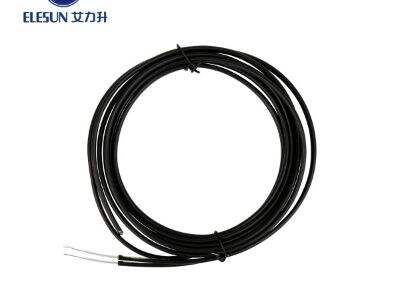
When installing or repairing coaxial cable assemblies, there are a number of very common problems people can run into. Problems can include shield shorts, crimps or connectors. Understanding how to troubleshoot these issues will ensure that your rg174 coaxial cable is working properly. In this article, we discuss some of our most typical problems and give you tips on how to fix them.
Importance of Coaxial Cable Assembly Shielding
Coaxial cables require shielding it protects what the signal carried by the cable from interference from the environment. However, if the shielding is torn at some point or not installed correctly, it can be a major issue and results in nothing but problems such as bad signal quality or no signal. It’s as if you’re trying to listen to the radio, but all you can hear is static due to poor reception. Shielding If there is a problem with shielding, check that you don’t tie the rg 58 coaxial cable too hard and that there’s no visible cut or damage.
Resolving Crimped Connections in Coaxial Cables
Crimping refers to using a special tool to attach that connector to the cable, and you have to do it just right. If that crimp isn’t good, the connection may not be secure, and your signal can go missing. To resolve the crimping issue, you need to be using the proper crimping tool and follow the instructions when you install. Check your work to make sure the connector is tightly fastened to the cable.
How to Find and Fix Coaxial Cable Connector Problems?
Connectors are crucial for your coaxial cable. They connect the cable to your device. If these gadgets are not functioning properly, you may find that your TV or internet cuts out frequently. This can be about as frustrating as trying to drink a milkshake with a straw that won’t suck. If you’re having any problems with the connectors, look for damages or corrosion. Sometimes all that is needed is cleaning the connector or replacing it with a new one.
If you suspect that the shielding in your coaxial cable is the cause of these problems, there are a couple things you can do. First, visually check the outside of the entire length of the cable for any sign of physical damage. Now check if there is still the same problem when using another device. This work can be a kind of detective work, where you’re looking for evidence that can help solve a mystery.
Sometimes the Coaxial Coax cable does not have to fit the Connector.
Loose connectors are a common problem. That’s rather like how door hinges can become squeaky and inefficient. If your connectors are not firmly in place, fasten with the appropriate tool. Another possibility is that the connectors are simply the wrong type for your device. Be sure to confirm you’re using the appropriate white coaxial cable for both the cable and device it’s connected to.


